
Update WordPress core and plugins safely
Back up the database and files, confirm plugin compatibility and test the journeys customers rely on before updating a live site.

THE AUSSIE WEBSITES JOURNAL
The Aussie Websites team writes guides for people who run and maintain business websites. Search the collection for practical help with storefronts, hosting, search and advertising.
38 articles
Back up the database and files, confirm plugin compatibility and test the journeys customers rely on before updating a live site.
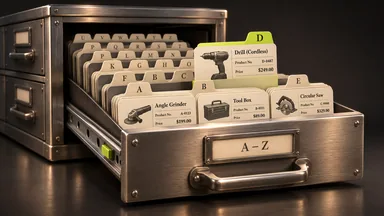
When a changed price or product still looks wrong on the storefront, check the relevant index and its scheduled job.

Choose a service or product page that answers a real customer question. Make it discoverable and check whether visitors can act on it.

Compare the functions your team needs with what the subscription, theme and optional apps provide.

Prepare stable product identifiers, images, prices, stock and the pages shoppers should reach.
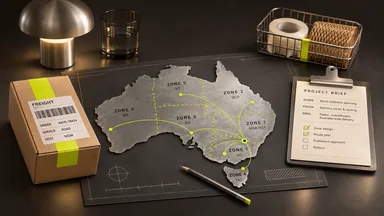
A useful brief covers products, variants, delivery zones, payment methods, stock systems and fulfilment.

Shopping listings help buyers compare a specific product. Feed quality, delivery costs and margins matter before you pay for more traffic.

Identify the stale layer before clearing anything. Commerce, the browser and a CDN can hold different copies.

WordPress stores, Magento and Shopify need a reliable process to keep price, stock and variants consistent with Merchant Center.

The choice between simple, configurable, grouped, virtual, bundle and downloadable depends on how customers choose items and how you fulfil orders.
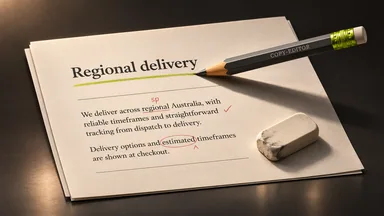
Write in the terms customers use and make headings and instructions specific enough for a reader to find the next step.

Start with a page your customer needs. Check how its CMS publishes the title, internal links, canonical and indexing settings.

Search impressions, visits and completed enquiries answer different questions. Follow a query to its landing page and through its intended action.

Check the seller and delivered price, read the returns information and keep the order confirmation.

For a web app using Gmail, identify the access the feature needs, configure its audience and register the redirect for its application type.

Document which information the store collects, who can access it and which payment details the provider handles.

Edition, installed release and extensions determine which catalogue, checkout and merchandising features your store has.

Follow one product from discovery to payment. Look for a concrete obstacle such as a missing size, unclear delivery cost or failed checkout field.

Publish when you have a recurring customer question, a useful answer and someone who can keep it accurate.

Unexpected checkout load needs a measured response. Have the operator and payment provider compare service health, failed transactions and customer impact.

Standard Universal Analytics properties stopped processing new data in 2023. Google shut down interface and API access for most users from July 2024. Existing exports are separate from GA4.
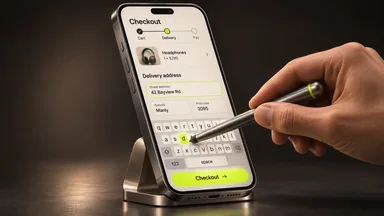
A useful mobile check follows product selection, delivery, payment and confirmation on representative screens.

Match the installed release and edition to Adobe’s supported dependencies, then size resources around catalogue size, indexing, imports and peak checkout demand.
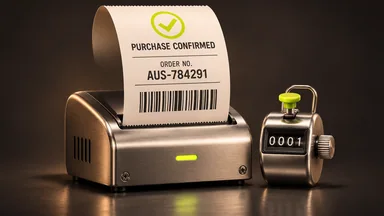
Start with a completed test order and identify which conversion action should record it. A checkout visit and a paid order measure different things.

Inspect the published title, description, robots instructions and canonical. Each communicates a different aspect of the page.

Review a product, its category and a filtered category variant. Check where navigation and canonical signals direct customers and search engines.

A duplicate warning can mean that more than one loaded configuration enables the extension. Start with the PHP configuration used by the affected application.

Time a representative category, product page and checkout separately. Determine whether application processing, assets or network delivery dominate.

Record who handles patching, administrator access, payment integration, alerts and recovery. Outsourcing payment processing leaves responsibilities with the merchant.

Rank online store improvements by customer impact, evidence and effort. Choose one change and agree how to measure the result before you start.

Choose an experiment that helps a visitor find a relevant item with information you already need for a defined purpose.

Parking reserves a name. For a permanent move, map important old URLs to their corresponding new content and choose the redirect that represents the change.

Plan separate work for data, themes, custom code, extensions and integrations. Rehearse the migration on a recoverable copy.

Start with the workflow the extension must support. Compare existing capability, a maintained extension and a small custom change.

Sharing, sign-in, embedded feeds and product catalogues serve different customer tasks. Start with the task before adding an integration.
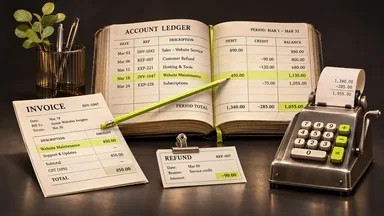
Choose a question about a period, store view or product and start with a report that uses those definitions.

Hosting nearer your customers can reduce network delay. Application processing and large assets can still make a local site feel slow.

Identify which Maps features the page uses, enable their required APIs and apply restrictions appropriate to the application and key.
No articles match your search.
There are no current specials at the moment. Ask our team about your project and a tailored quote.
With your permission, we use Google Analytics and Google Ads cookies to measure visits and successful enquiries and understand which ads work. We do not send your form answers to Google or use this choice for personalised ads. Essential security and enquiry features work either way. Privacy information.