
Tech
Set up a restricted key for Google Maps
Identify which Maps features the page uses, enable their required APIs and apply restrictions appropriate to the application and key.

A Maps integration may use one API to display a map and another for a feature such as address suggestions. Identify which calls the website makes before enabling services or creating a key. The screens shown here come from the original guide. Current console labels can differ.
Choose the project and billing arrangement
Use the Google Cloud project controlled by the business responsible for the integration. Confirm who owns billing and monitoring. Google Maps Platform changed its former recurring-credit model in March 2025. Free usage and pricing depend on the SKU and applicable agreement. Check both the configured request quota and the billable usage for each SKU.
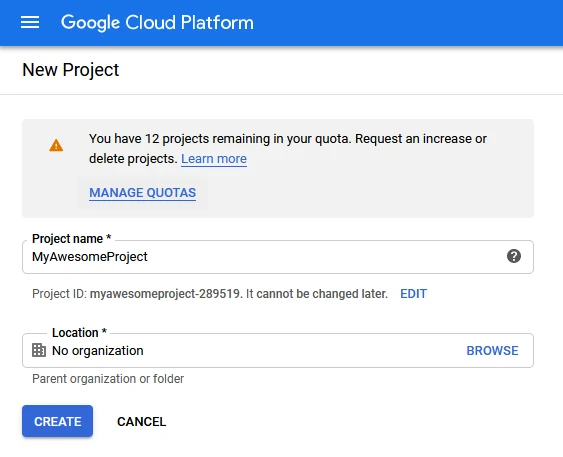
Enable the features the website uses
In the project’s API Library, enable the supported APIs needed by the implementation. A basic map, address search and routing have different requirements and billing implications. Avoid enabling a bundle of unrelated APIs just because an older walkthrough used them.
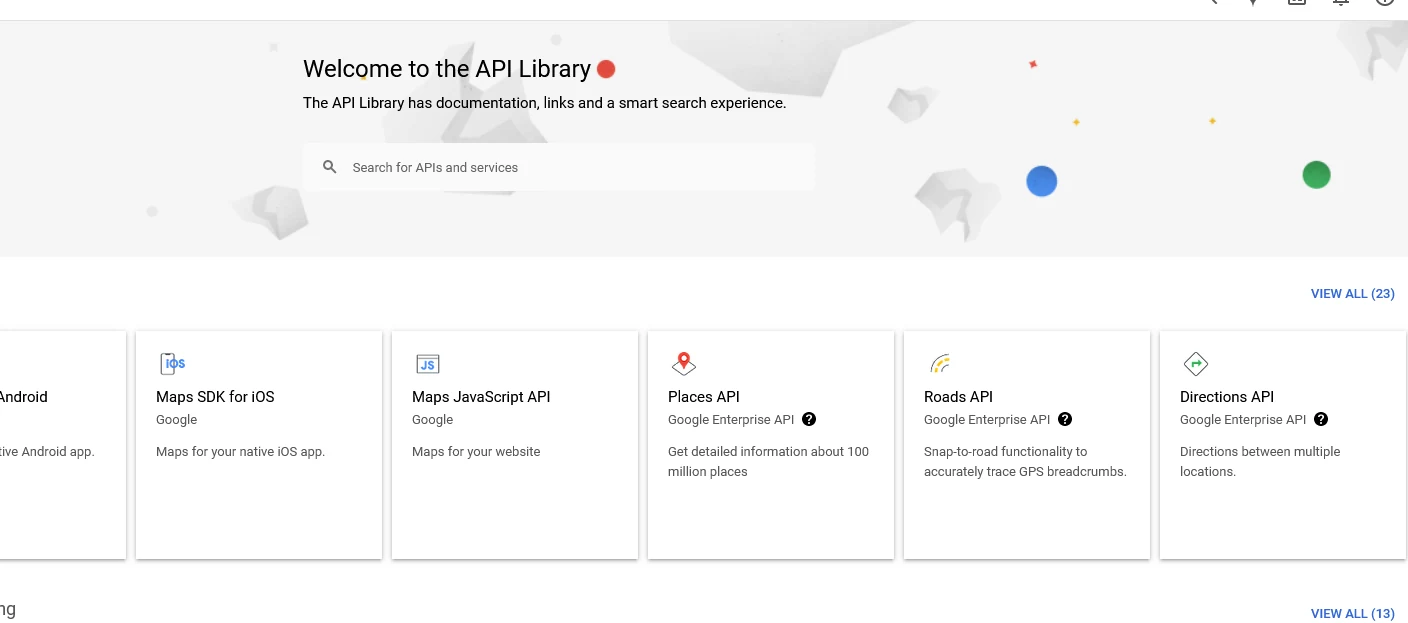
Create a key for its intended application
Use a separate key when applications require different restrictions, for example a browser map and a server-side integration. An authorised project administrator should keep server credentials out of public code and avoid pasting keys into support requests.
Restrict and test the key
Apply the application restriction appropriate to its use, such as the allowed websites for a browser key, and restrict the key to the required APIs. Follow Google’s current guidance for the implementation and preserve any necessary existing keys during a planned change.
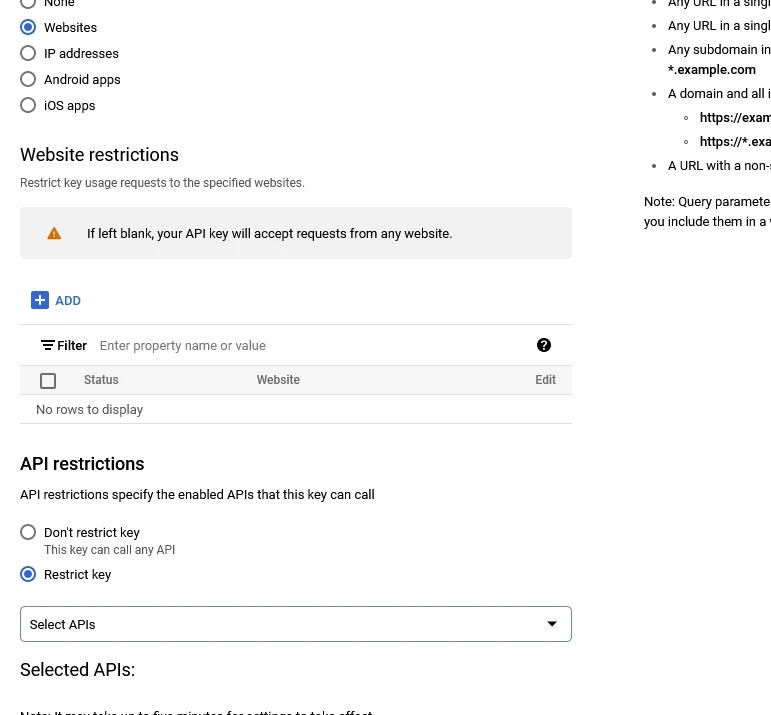
Test the intended map and address interactions on the allowed site. Review the project’s actual usage by API and SKU, and check that billing alerts reach the responsible person. Alerts and quotas serve different purposes.